How Wherlyst works
You find a place in a post. Wherlyst puts it on your map, keeps the post with it and lets you share the list. Here is what happens at each step.
Save without leaving the app you're in
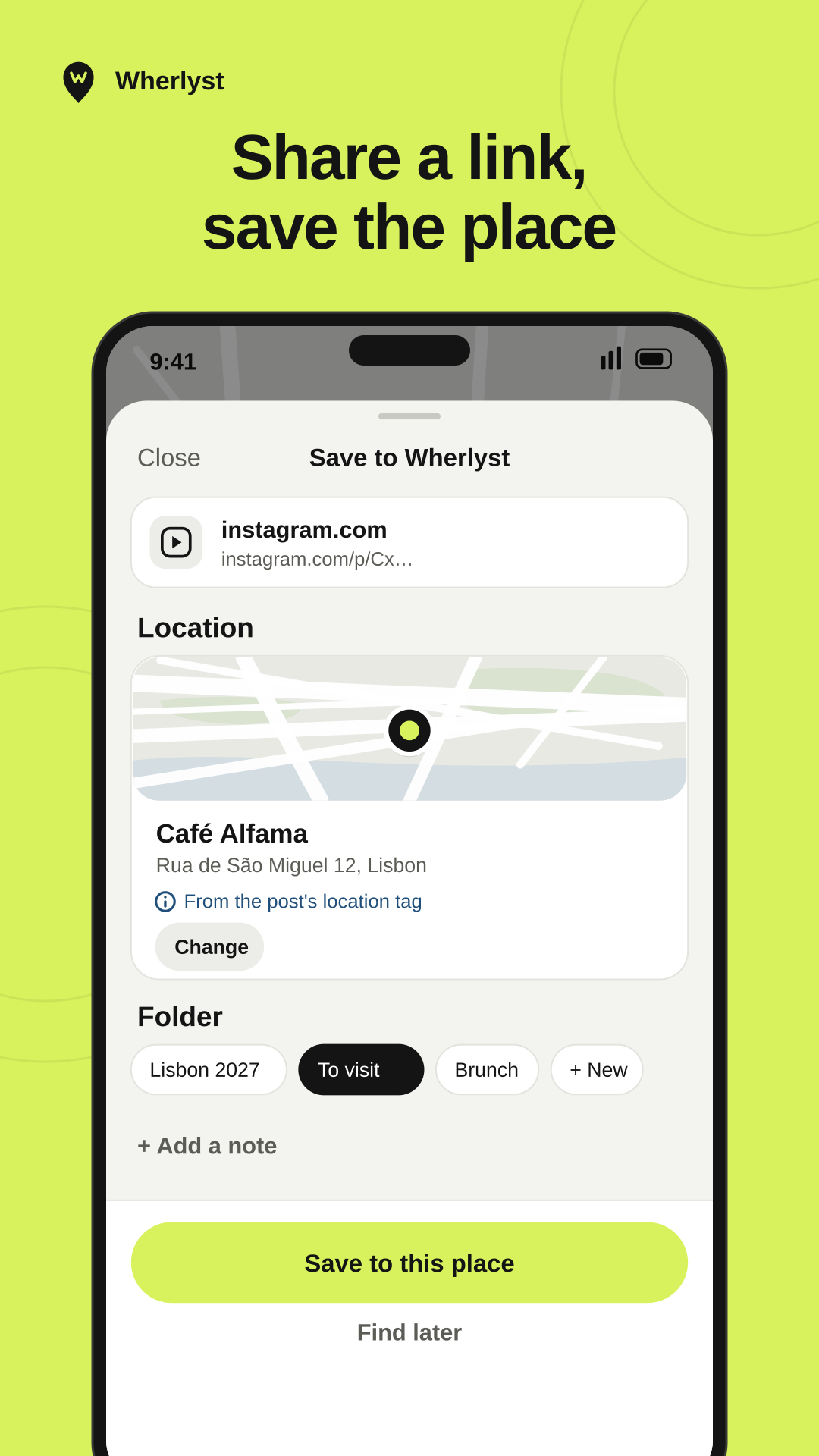
- Tap Share on a post, a video or a link.
- Pick Wherlyst. A small sheet opens on top of the app you're in.
- Check the place, choose a folder if you like, and tap Save.
No share button? Copy the link and paste it into Wherlyst, or search the map and drop the pin yourself.
How the place is found
Wherlyst reads what the post says about where it was: a location tag, the caption, the page title. Then one of three things happens.
One clear match
The pin is set for you. You can still change it before you save.
A few possible places
Wherlyst lists them and you tap the right one.
No location in the post
The save is kept anyway. Search the map and finish it whenever you like.
Where you can save from
Anything you can share or copy. Finding the place is best effort: it depends on what the post says.
| Where it comes from | What Wherlyst uses to find the place |
|---|---|
| Google Maps | The place in the link. |
| Instagram, TikTok, X, YouTube | The post's location tag, its caption or its description. |
| Any website | The page's title and description. |
| Text from notes or messages | Place names in the text. |
| A link you copied | The same as above, once you paste it into Wherlyst. |
| Nothing to share | Search the map or tap it to drop a pin. |
The post stays with the pin
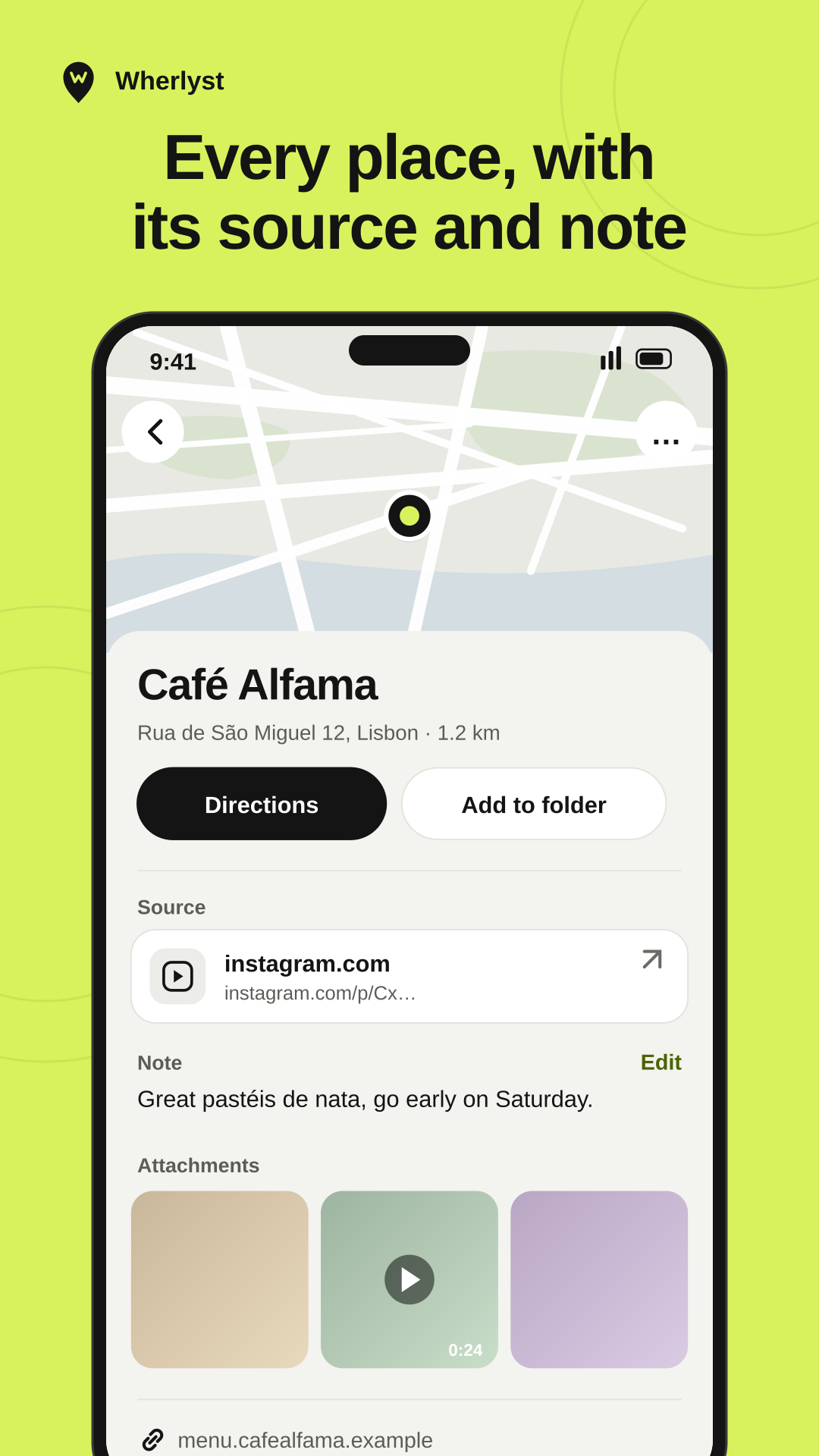
Every place keeps the link that sent you there. Weeks later you still know why you saved it: tap the source and the original post opens.
Add your own note, see the address, and get directions in one tap.
Folders that fit how you plan
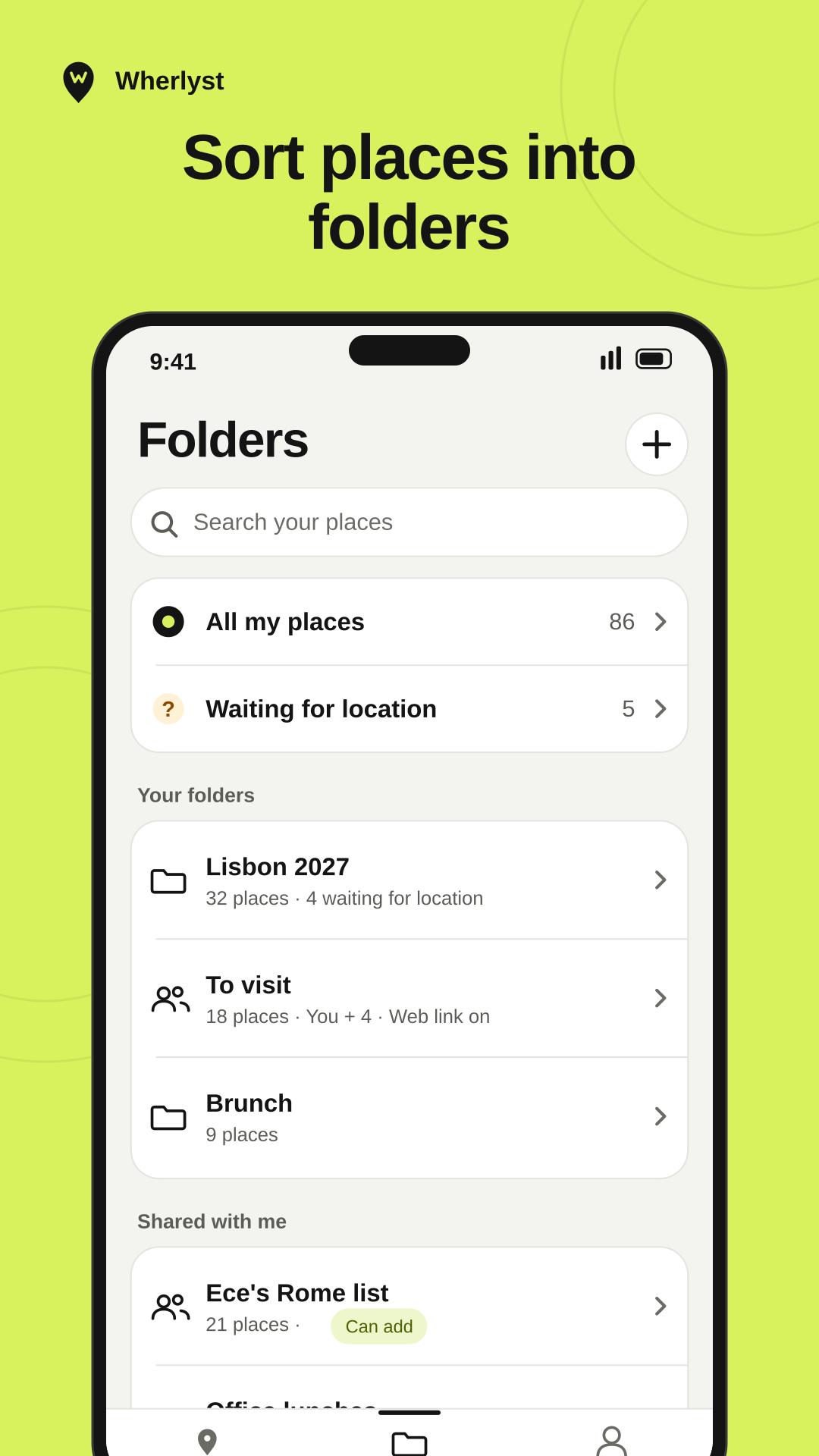
- All my places shows everything you've saved.
- Waiting for location collects the saves that still need a spot.
- One place can sit in several folders, like Lisbon 2027 and Brunch.
- Folders friends shared with you are in the same list, marked as shared.
When a folder is ready, send it to friends. How shared lists work
Start your map before the next trip.
Coming soon to iPhone and Android
Coming soon to iPhone and Android.